
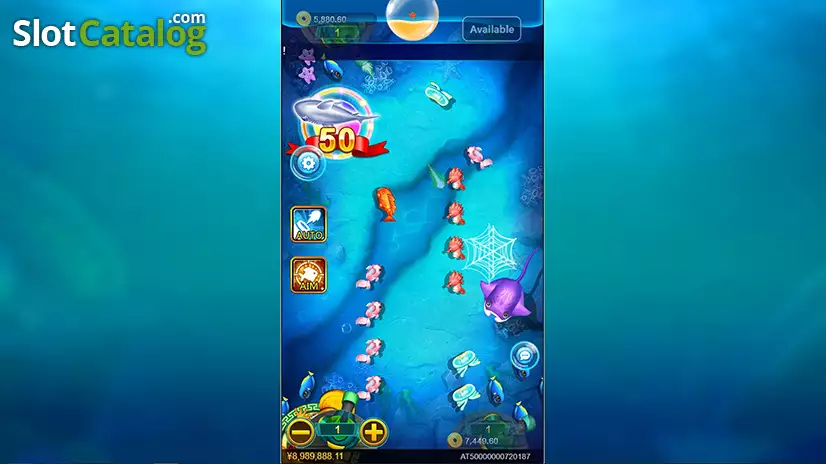
CQ9’s Oneshot Fishing uses a portrait layout with the cannon near the bottom and progress indicators above the underwater playfield. This superace88 mobile walkthrough follows the screen from the shot controls to the “Enter Level 2” message so you can tell what each panel is showing.
Find the Main Buttons on the Screen
| On-screen element | What it does or shows |
|---|---|
| AUTO | Fires repeatedly while the function is active |
| AIM | Locks onto the target you select and fires at it |
| Minus and plus by the cannon | Adjust the displayed shot setting |
| Number by the cannon | Shows the currently selected shot amount |
| Dragon Ball indicator at the top | Shows collection progress during play |
Here’s a quick way to get your bearings in the superace88 preview. Locate the cannon first, then read the number beside it. Once you find the amount, look up the left side for AUTO and AIM. Those buttons tell you how the next shots will be handled.
What Does “Enter Level 2” Mean?
The large aqua panel announces the next stage. Your cannon controls are still visible below it, and the stars at the top show the Dragon Ball collection. In the superace88 preview, the panel fills much of the center, so the edges are the easiest place to find the controls again once the transition passes.
When to Look at AUTO and When to Look at AIM
Use the AUTO indicator to see whether repeated firing is active. For a specific target such as the Dragon Ball Turtle, use the AIM indicator to see whether you have a lock. CQ9 describes AIM as following the chosen fish and stopping the aimed fire after capture.
A Quick Screen Check Between Stages
Read the shot amount, check the firing control and glance at the collection counter as the playfield returns. These three checks are the easiest way to use this superace88 walkthrough when the stage message disappears and the room fills with fish again.