
Treasures of Aztec places a lot of activity inside a compact screen: changing symbols, a top reel, framed tiles and a multiplier below the grid. Learning where those elements sit makes the mobile experience easier to follow. This superace88 guide focuses on the controls and display rather than starting with payout statistics.
Find the Most Useful Controls First
The documented interface includes the spin button, bet adjustment options, paytable, rules and game history. Button placement can differ with the display or game version, so identify each function before your first spin.
| Control | What it does |
|---|---|
| Spin | Starts a spin at the selected wager |
| Plus and minus | Adjust the bet amount |
| Bet options | Opens available wager settings |
| Paytable | Shows symbols and winning combinations |
| Rules | Explains features and controls |
| History | Shows previous game results |
The bet amount shown on the screen is the figure to confirm after making an adjustment. Avoid relying only on how many times a plus or minus button was tapped.
Read the Reels From Top to Bottom
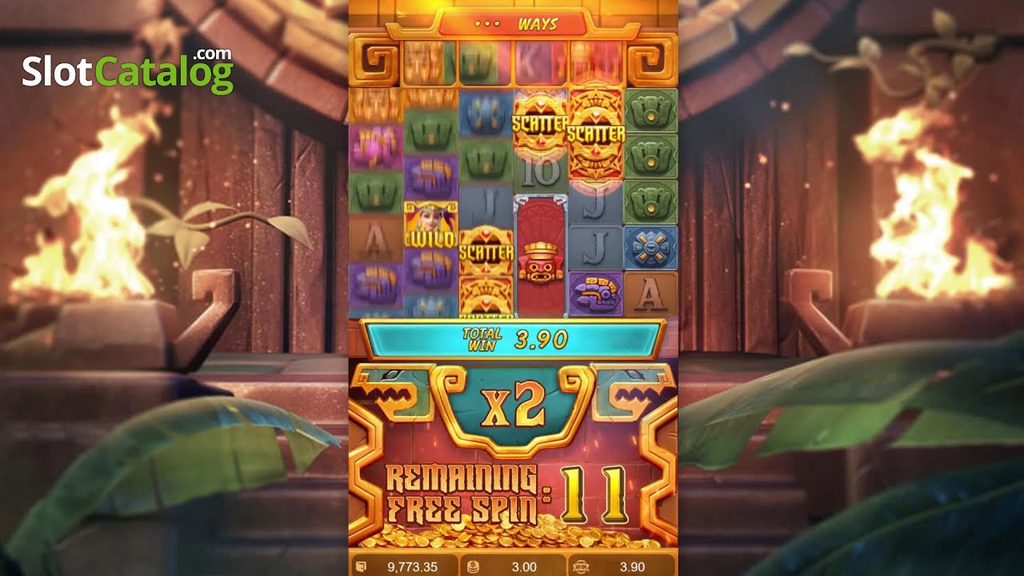
The upper part of the game includes an additional reel above the middle columns. Below that, the main grid contains six reels with symbols that can vary in height. The multiplier area helps explain how the current winning sequence is developing.
For superace88 readers learning on a phone, a simple habit is to watch the winning highlight first, the cascade second and the multiplier update third. This reduces the amount of information you need to process at once.
Keep the Animation Easy to Follow
Normal-speed play is useful when identifying silver and gold frame changes. The documented Turbo Spin option shortens main-game reel animation, so it is easier to appreciate after the basic sequence is familiar.
Understand Automatic Play Options
Where available, Auto Spin starts a selected number of spins. The documented settings include conditions for stopping after specified balance changes or a single win exceeding a chosen amount.
| Setting to review | Why it matters |
|---|---|
| Selected number of spins | Defines the automatic-play run |
| Balance decrease stop | Defines a stopping condition |
| Balance increase stop | Defines another stopping condition |
| Single-win stop | Can pause play after an award passes the selected threshold |
Availability and labels should be checked in the actual interface. For superace88 readers, the useful point is to understand those settings before activating them.
Use History After a Busy Round
If a cascade passes too quickly, open the history instead of trying to reconstruct the result from memory. It provides a clearer place to review completed play.
The same applies after free spins: allow the final award screen to finish, then check the recorded result if you want more detail.
Treasures of Aztec becomes easier to navigate once the controls feel familiar. Use this superace88 walkthrough to locate the wager, rules, history and multiplier, then focus on the temple gameplay itself.